
Google Maps Leads Generator
Find Business Leads from Google Maps
Find real businesses from Google Maps with contact info, reviews, ratings, and lead scores. Export leads to CSV, Excel, and PDF instantly.
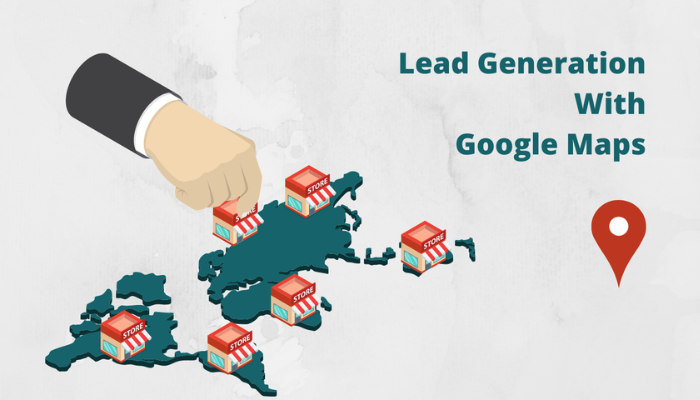
Why You Need a Google Maps Leads Generator
Google Maps is one of the world's largest directories of businesses, containing millions of listings across every industry and location. For sales teams, marketers, and business owners, this is a goldmine of potential leads. However, manually searching, extracting, and organizing business data from Google Maps is tedious, time-consuming, and often inaccurate.
That's where WEBLIC AI's Google Maps Leads Generator comes in. This free, AI-powered tool helps you extract high-quality business leads from Google Maps instantly. It provides real business data including phone numbers, websites, addresses, ratings, reviews, and lead scores. You can filter and export leads to CSV, Excel, and PDF formats for use in your CRM, email marketing tools, or sales outreach campaigns.
But why is a Google Maps Leads Generator so important? Let's explore.
First, it saves you hours of manual research. Instead of spending days browsing Google Maps, copying contact details, and organizing data, you can generate a targeted list of leads in seconds. This frees up your team to focus on what matters most — closing deals.
Second, it provides accurate and up-to-date information. The tool uses the Google Places API to fetch real-time data, ensuring that you get accurate phone numbers, addresses, and other business details. No more wasting time on outdated or incorrect contact information.
Third, it helps you target the right prospects. With filters for reviews, ratings, website presence, phone availability, and operating hours, you can build highly targeted lists that match your ideal customer profile. This increases conversion rates and reduces wasted outreach efforts.
Fourth, it's free and accessible 24/7. No registration, no installation, no hidden charges — just accurate lead generation whenever you need it.
In this comprehensive guide, we'll explain everything you need to know about Google Maps lead generation — from what it is and why it matters, to how you can use our tool to build a powerful sales pipeline.
What Is the Google Maps Leads Generator?
WEBLIC AI's Google Maps Leads Generator is a free, AI-powered tool that extracts business leads from Google Maps. It provides real business data, lead scoring, and export capabilities to help you find high-quality prospects.
Real Google Maps Data
Fetches real-time business data from Google Maps via the Places API, ensuring accuracy and freshness.
Contact & Review Data
Extracts phone numbers, websites, addresses, ratings, reviews, and opening hours for each lead.
Lead Scoring
AI-powered lead scoring helps you prioritize high-opportunity prospects based on their potential value.
Export to CSV, Excel & PDF
Export leads in CSV, Excel, and PDF formats for use in CRM, email tools, and outreach campaigns.
Key Features
- Real Google Maps data via Places API
- 100+ countries supported
- Lead scoring for high-opportunity prospects
- Export to CSV, Excel, and PDF
- Filters: reviews, ratings, website, phone, open now
- Free to use 24/7 — no login required
Why Choose WEBLIC AI's Google Maps Leads Generator?
Built for speed, accuracy, and simplicity — everything you need for lead generation.
Real Google Maps Data
Fetches real-time business data from Google Maps via the Places API.
Lead Scoring
AI-powered lead scoring helps you prioritize high-opportunity prospects.
100+ Countries
Find leads in over 100 countries, making it ideal for global sales.
Export to CSV / Excel / PDF
Download leads in multiple formats for CRM and outreach tools.
Advanced Filters
Filter by reviews, ratings, website, phone, and open now status.
No Login Required
Use the tool instantly without creating an account.
Generate Google Maps Leads in 4 Simple Steps
Follow these steps to find high-quality business leads from Google Maps instantly.
Enter Business Keyword
Enter a business keyword (e.g., "plumber", "restaurant", "lawyer") to find relevant leads.
Enter Location
Enter the city, state, or country where you want to find leads.
Click Search
Hit the 'Search' button and let the tool extract leads from Google Maps.
Filter & Export
Filter leads by reviews, ratings, and other criteria, then export to CSV, Excel, or PDF.
What is Google Maps Lead Generation?
Google Maps lead generation is the process of extracting business contact information from Google Maps to build a targeted list of prospects for sales, marketing, and outreach. Google Maps contains millions of business listings across every industry and location, making it one of the most valuable sources of B2B and B2C leads.
Traditional methods of finding leads on Google Maps involve manually searching, copying contact details, and organizing data in spreadsheets. This is time-consuming, inefficient, and often leads to errors. With AI-powered tools like WEBLIC AI's Google Maps Leads Generator, you can automate the entire process and get accurate, up-to-date leads in seconds.
Why Google Maps is a Goldmine for Leads
Google Maps is used by billions of people worldwide to find local businesses. For sales and marketing professionals, this means access to a vast database of potential leads. Here's why Google Maps is so valuable for lead generation:
- Comprehensive Listings: Google Maps contains millions of business listings across every industry and location.
- Accurate Data: Businesses regularly update their information, ensuring accuracy.
- Rich Data Points: Listings include phone numbers, websites, addresses, ratings, reviews, and opening hours.
- Local Targeting: You can find leads in specific cities, regions, or countries.
- Free Access: Google Maps is free to use, making it accessible to everyone.
How the Google Maps Leads Generator Works
WEBLIC AI's Google Maps Leads Generator uses the Google Places API to fetch real-time business data. Here's how it works:
- Keyword & Location Input: You enter a business keyword and location (city, state, or country).
- API Query: The tool queries the Google Places API to find relevant businesses.
- Data Extraction: The tool extracts business names, phone numbers, websites, addresses, ratings, reviews, and opening hours.
- Lead Scoring: AI algorithms score each lead based on its potential value.
- Filtering & Export: You can filter leads by reviews, ratings, and other criteria, then export to CSV, Excel, or PDF.
Types of Leads You Can Generate
- Local Business Leads: Find plumbers, electricians, restaurants, salons, and other local businesses.
- B2B Leads: Find IT companies, law firms, marketing agencies, and other B2B service providers.
- Real Estate Leads: Find property developers, builders, and real estate agents.
- Healthcare Leads: Find hospitals, clinics, diagnostic centers, and pharmacies.
- Education Leads: Find schools, colleges, universities, and training institutes.
- Retail Leads: Find retail stores, supermarkets, and e-commerce businesses.
- Hospitality Leads: Find hotels, resorts, and restaurants.
Lead Scoring – What It Is and Why It Matters
Lead scoring is an AI-powered feature that ranks leads based on their potential value. It helps you prioritize high-opportunity prospects and focus your sales efforts on the leads most likely to convert.
The Google Maps Leads Generator scores leads based on factors like:
- Business ratings and reviews
- Website presence and quality
- Phone number availability
- Business category and relevance
- Location and market potential
Google Maps Leads Generator Examples – 30 Scenarios
Here are real-life lead generation scenarios for different industries and use cases:
- IT Services: Find IT companies in Bangalore for software development outsourcing.
- Digital Marketing: Find e-commerce businesses in Mumbai needing SEO and social media marketing.
- Real Estate: Find property developers in Delhi NCR looking for real estate marketing services.
- Healthcare: Find hospitals and clinics in Hyderabad needing medical equipment and supplies.
- Education: Find schools and colleges in Pune needing educational technology solutions.
- Manufacturing: Find manufacturing companies in Gujarat needing industrial automation solutions.
- Finance: Find NBFCs and financial institutions in Chennai needing fintech solutions.
- Retail: Find retail chains in Kolkata needing inventory management software.
- Logistics: Find logistics companies in Nagpur needing fleet management solutions.
- Hospitality: Find hotels and resorts in Goa needing booking and management software.
- Construction: Find construction companies in Noida needing project management tools.
- Legal: Find law firms in Delhi needing legal practice management software.
- Media: Find media agencies in Mumbai needing content management and distribution tools.
- Non-Profit: Find NGOs in Bangalore needing donor management and CRM solutions.
- Telecom: Find telecom providers in Gujarat needing network management solutions.
- Plumbing: Find plumbers in any city for home service lead generation.
- Electrician: Find electricians in any city for home service lead generation.
- Restaurant: Find restaurants in any city for food delivery and catering services.
- Salon: Find salons and spas in any city for beauty product sales.
- Car Rental: Find car rental companies in any city for travel and logistics services.
- Travel Agency: Find travel agencies in any city for tour and travel packages.
- Photography: Find photography studios in any city for event photography services.
- Event Management: Find event management companies in any city for corporate events.
- Interior Design: Find interior designers in any city for home and office design.
- Architecture: Find architecture firms in any city for building design and planning.
- Accounting: Find accounting firms in any city for tax and financial services.
- Consulting: Find consulting firms in any city for business advisory services.
- Staffing: Find staffing agencies in any city for recruitment and HR services.
- Cleaning: Find cleaning services in any city for commercial and residential cleaning.
- Pest Control: Find pest control companies in any city for residential and commercial pest management.
Lead Generation for Different Industries
Lead Generation for Local Businesses
Local businesses like plumbers, electricians, restaurants, and salons can use the tool to find new customers in their area. By targeting specific cities and business types, you can build a list of prospects ready for outreach.
Lead Generation for B2B Sales
B2B sales teams can find IT companies, law firms, marketing agencies, and other service providers. The tool's lead scoring helps prioritize high-value prospects.
Lead Generation for Real Estate
Real estate agents can find property developers, builders, and potential buyers in their target city. The tool's location-based search makes it easy to find local opportunities.
Lead Generation for Healthcare
Healthcare companies can find hospitals, clinics, diagnostic centers, and pharmacies. The tool's rich data points help build detailed prospect profiles.
Lead Generation for Education
Ed-tech companies and training institutes can find schools, colleges, and universities. The tool's filters help target the right institutions.
How to Use Google Maps Leads for Outreach
Once you have generated a list of leads, it's time to reach out. Here are some best practices for lead outreach:
- Personalize Your Message: Use the lead's business name, location, and industry to craft a personalized email or message.
- Provide Value: Offer something of value — a free consultation, a demo, or a resource relevant to their business.
- Follow Up: Don't give up after one email. Follow up 2-3 times with different value propositions.
- Use Multiple Channels: Combine email, phone, and LinkedIn for a multi-channel outreach approach.
- Track Your Results: Use a CRM to track which leads convert and optimize your outreach strategy.
Benefits of Using a Google Maps Leads Generator
- Instant access to millions of business leads
- Accurate and up-to-date contact information
- AI-powered lead scoring for prioritization
- Filter leads by reviews, ratings, and other criteria
- Export leads to CSV, Excel, and PDF
- 100+ countries supported
- Free to use 24/7
- No registration required
- Mobile-friendly interface
- Great for sales, marketing, and business development
- Helps build a strong sales pipeline
- Reduces manual research time
- Improves lead quality and conversion rates
- Supports local and global lead generation
- Enables targeted outreach campaigns
Common Google Maps Lead Generation Mistakes & Solutions
- Mistake: Using outdated or inaccurate data → Solution: Use the Places API for real-time data.
- Mistake: Not filtering leads effectively → Solution: Use filters for reviews, ratings, and other criteria.
- Mistake: Sending generic outreach messages → Solution: Personalize your outreach based on lead information.
- Mistake: Not following up → Solution: Implement a follow-up sequence with 2-3 touches.
- Mistake: Ignoring lead scoring → Solution: Prioritize high-quality leads for faster conversion.
- Mistake: Not using a CRM → Solution: Track leads and outreach in a CRM for better management.
- Mistake: Overlooking local leads → Solution: Use location-based search to find local business opportunities.
- Mistake: Focusing only on quantity → Solution: Prioritize lead quality over quantity.
- Mistake: Not analyzing results → Solution: Track conversion rates and optimize your strategy.
- Mistake: Ignoring social selling → Solution: Use LinkedIn and social media for prospecting.
- Mistake: Not using multiple channels → Solution: Combine email, phone, and social for better reach.
- Mistake: Giving up too early → Solution: Persistence pays off — follow up consistently.
- Mistake: Not providing value in outreach → Solution: Offer something useful to the lead.
- Mistake: Ignoring lead nurturing → Solution: Nurture leads with relevant content until they are ready to buy.
- Mistake: Not using the Places API correctly → Solution: Ensure proper API key configuration and usage.
- Mistake: Overlooking business hours → Solution: Use the 'Open Now' filter to find businesses currently operating.
Why You'll Love This Tool
Designed for sales efficiency — here's what makes it indispensable.
Saves Time
Generate thousands of leads in seconds instead of days of manual research.
Verified Data
Real Google Maps data via Places API for accuracy and freshness.
Completely Free
No hidden fees, no subscription, no credit card required.
Privacy First
We don't track, store, or share your data. Ever.
Works Everywhere
Accessible from any device, anywhere in the world.
Always Updated
Works with the latest Google Maps data and Places API.
Who Benefits from This Tool?
From sales teams to local businesses, here's how different professionals use the Google Maps Leads Generator.
Sales Teams
Build a targeted prospect list for B2B and B2C sales outreach. Find decision-makers and key contacts.
Marketing Agencies
Identify potential clients for SEO, PPC, social media, and content marketing services.
Local Businesses
Find new customers in your area and expand your local reach.
Business Development Managers
Identify partnership opportunities and strategic alliances with other businesses.
Real Estate Agents
Find property developers, builders, and potential buyers in your target city.
Startups
Build your initial customer base and find early adopters for your product or service.
Weblic AI vs. Other Google Maps Lead Generation Tools
See how our Google Maps Leads Generator stacks up against the competition.
| Feature | Weblic AI | Tool A | Tool B | Tool C |
|---|---|---|---|---|
| Speed | Instant | Slow | Medium | Medium |
| Real Google Maps Data | Yes | No | Yes | No |
| Places API Integration | Yes | No | Yes | No |
| Lead Scoring | Yes | No | Yes | No |
| Export to CSV / Excel / PDF | Yes | No | Yes | No |
| Advanced Filters | Yes | No | Yes | No |
| Completely Free | FREE | Freemium | Paid | Freemium |
| Login Required | No | No | Yes | No |
| Mobile Friendly | Yes | No | Yes | No |
Based on publicly available information as of 2026.
Optimized Content for Search Engines
This page is carefully crafted to rank for Google Maps Leads Generator and related search terms. We've integrated primary and secondary keywords naturally throughout the content to ensure maximum visibility without compromising readability.
Primary keyword: Google Maps Leads Generator — used strategically in headings, introductions, and key paragraphs to signal relevance to search engines.
Secondary keywords: Google Maps lead generation, extract business leads from Google Maps, Google Maps business leads, local lead generation, B2B leads from Google Maps — incorporated in subheadings, body text, and meta descriptions to capture a wider range of search queries.
In addition to keyword placement, we've structured the content with clear H1, H2, and H3 tags, making it easy for search engines to understand the hierarchy and relevance of each section. The inclusion of schema markup (FAQ) further enhances search visibility by enabling rich snippets in search results.
LSI (Latent Semantic Indexing) keywords such as Google Places API, lead scoring, business contact data, local SEO, B2B prospecting, sales pipeline, and outreach campaigns are woven into the content to provide context and depth, helping search engines associate this page with a broader topic cluster.
The meta title and meta description at the top of this page are also optimized to include primary keywords while encouraging clicks. This holistic approach to on‑page SEO ensures that the page is not only discoverable but also compelling to users.
Frequently Asked Questions
Everything you've ever wanted to know about Google Maps lead generation.
Ready to Generate Google Maps Leads?
Find high-quality, verified business leads from Google Maps — completely free.
Generate Your Leads NowNo sign‑up · No limits · 100% free
You Might Also Like
Discover other AI-powered tools and resources from WEBLIC AI.
Business Leads Generator
Find company leads by city and industry.
AI Prompt Generator
Generate high-quality prompts for AI tools.
YouTube Thumbnail Downloader
Download HD YouTube thumbnails instantly.
EMI Calculator
Calculate your monthly loan EMI instantly.
SIP Calculator
Calculate your mutual fund SIP returns.
Blog & Resources
Tips, guides, and business resources.